
How to Choose a Waterproof LED Screen?

Choosing a Waterproof Led Screen involves more than checking an IP rating. Outdoor displays face rain, dust, salt air, heat, freezing temperatures, and constant sunlight. A screen may survive heavy rain yet fail because moisture enters through a cable joint. Small details matter.

According to outdoor LED display engineer Dr. Lei Zhang, “Waterproofing is only as reliable as the display’s weakest seal.” This principle should guide every purchase. Look beyond the cabinet label. Check whether the front and rear surfaces have suitable protection, whether power connectors are sealed, and whether the manufacturer explains its testing process. IP65 can protect the front from water jets, while the rear may need stronger protection in exposed installations. The correct specification depends on location.

A reliable Waterproof LED Screen should also provide stable brightness, controlled heat dissipation, and easy maintenance. Ask for evidence from real projects. Coastal signs, stadium screens, and roadside billboards reveal different weaknesses. Request test reports, warranty terms, replacement module policies, and installation guidance. Do not trust impressive numbers alone.

The difficult part is balancing protection with serviceability. Fully sealed cabinets can resist water, but they may trap heat or complicate repairs. That trade-off deserves attention. Some buyers overlook drainage design, ventilation, and cable routing. I would not.

This guide explains how to compare waterproof ratings, materials, thermal systems, pixel protection, and supplier support. It also highlights common purchasing mistakes. No screen is maintenance-free. Even the best model needs inspection after severe weather.
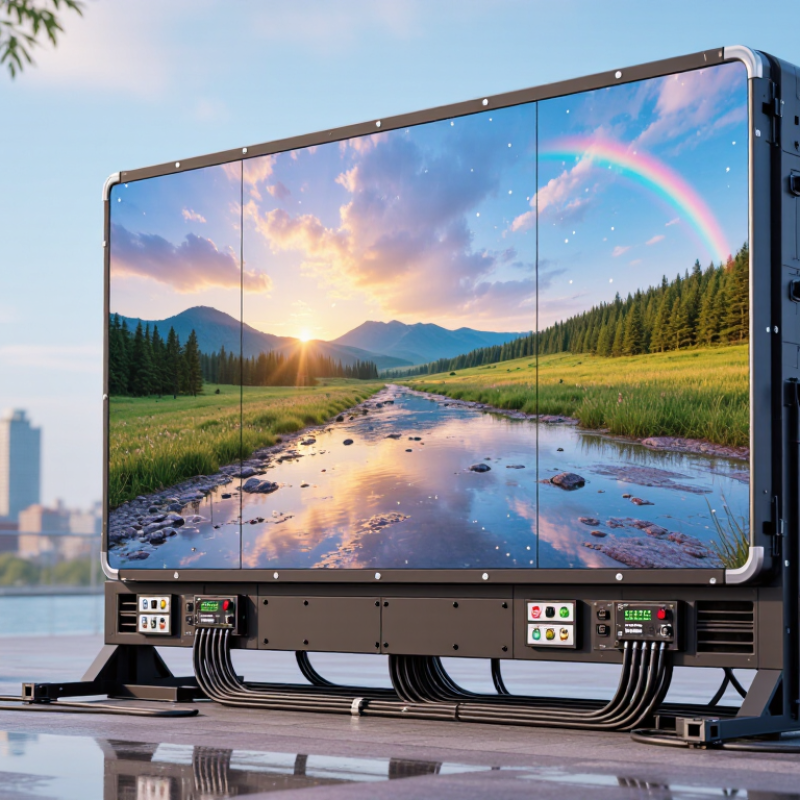
How to Choose a Waterproof LED Screen?

Define the Environmental Requirements for Your Waterproof LED Screen

How to Choose a Waterproof LED Screen?

Define the Environmental Requirements for Your Waterproof LED Screen

Define the installation environment before comparing screen specifications. A seaside wall faces salt spray, strong winds, and reflected sunlight. A rooftop receives harsher exposure than a sheltered entrance. Record the exact location, including nearby sprinklers, drainage paths, and roof edges. An IP65 rating may protect against rain and dust, while IP66 withstands stronger water jets. Check the front and rear ratings separately. A screen can resist rain but still fail when water collects inside the cabinet. Water always finds weakness.

Measure the local temperature range across the year. Include humidity, condensation, snow, dust, and direct ultraviolet exposure. Bright sunlight can raise cabinet temperatures quickly. Poor airflow may shorten component life. Wind load also matters, especially on tall structures or open rooftops. Ask for structural calculations based on local building requirements. Do not estimate this by appearance. It feels safer than it is.

Define viewing distance, brightness needs, operating hours, and maintenance access. A coastal screen may need corrosion-resistant fasteners and sealed cable glands. Confirm that drainage, grounding, and surge protection suit the site. Request environmental testing from a qualified, independent laboratory. Product sheets often describe ideal conditions, not difficult locations. A common planning mistake is focusing on the IP rating alone. I would revisit every assumption after a rainy-season inspection, because real water paths can differ from drawings.

Compare Waterproof Ratings, Materials, and Outdoor Protection Features

Choosing a waterproof LED screen starts with its IP rating, not a dramatic product description. IP65 blocks dust and low-pressure water jets. IP66 handles stronger jets, while IP67 supports temporary immersion. IP68 sounds stronger, but its test depth and duration depend on the manufacturer. Ask for the complete test report, including test conditions and certification details.

Materials also shape long-term outdoor performance. Powder-coated aluminum cabinets resist moisture and reduce weight. Stainless steel fasteners help prevent rust around mounting points. Sealed connectors, drainage channels, and UV-resistant module covers protect vulnerable areas. Good ventilation matters too. Without it, sunlight can turn the cabinet into a heated box. High brightness helps in direct sun, but it increases heat and power use. This trade-off is easy to overlook.

Tips: Check the screen after rain, not only during installation. Look for trapped water near seams and cable entries. Confirm the wind-load design for your site. Salt air, dust, and freezing temperatures may require extra protection beyond the IP rating. In practice, even a well-tested screen can fail when installation details are rushed. That is worth remembering.

Choose the Right Screen Size, Pixel Pitch, and Viewing Distance

Choosing the right waterproof LED screen starts with viewing distance, not available wall space. Measure where people will stand. A screen that looks impressive on paper may feel unreadable from the back row. For a small outdoor stage, a 3-by-2-meter display can work well when viewers stand 15 meters away. Leave room for safe service access.

Pixel pitch controls image detail. Smaller pitch creates sharper text at close range, but it usually increases cost and power use. A useful starting estimate is one meter of viewing distance for each millimeter of pixel pitch. A 4 mm screen may suit viewers four meters away or farther. This is only a guide. My early estimates were too optimistic when fine text and camera footage were involved. Test real content before ordering.

Screen size must also match the content. Wide banners need a suitable aspect ratio, while live video often needs more height. Do not judge only from product images. Print a sample message and check it from several positions. Waterproof protection matters too. Confirm the front and rear protection ratings, sealed connectors, drainage, and ventilation. Rain resistance cannot repair poor installation. Bright sunlight may also require higher brightness, which can affect energy use and viewing comfort. A slightly smaller screen with the right pitch often performs better than a huge screen with blurred text.

How to Choose a Waterproof LED Screen? - Choose the Right Screen Size, Pixel Pitch, and Viewing Distance

Use the guidelines below to match the screen’s pixel pitch, physical size, resolution, brightness, and weather protection to the installation environment.

Application Typical Viewing Distance Recommended Pixel Pitch Example Screen Size Approximate Resolution at Example Size Recommended Brightness Minimum Protection Rating Selection Notes
Indoor lobby or reception area 2–5 m 1.5–2.5 mm 2.4 m × 1.35 m
(16:9 aspect ratio)
Approx. 1,280 × 720 pixels with a 1.875 mm pitch 800–1,200 nits IP30 or higher for normal indoor locations Fine-pitch display improves readability of text, menus, and detailed graphics at close range.
Retail storefront behind glass 3–8 m 2.5–4 mm 3.84 m × 2.16 m
(16:9 aspect ratio)
Approx. 1,280 × 720 pixels with a 3 mm pitch 1,500–2,500 nits IP30; higher rating may be needed near open entrances Select brightness according to direct sunlight and glass reflections; include automatic brightness control where possible.
Outdoor building façade 8–20 m 4–8 mm 6.4 m × 3.6 m
(16:9 aspect ratio)
Approx. 1,280 × 720 pixels with a 5 mm pitch 5,000–7,000 nits IP65 front / IP54 rear or higher A larger pitch can reduce cost while maintaining acceptable image clarity at long viewing distances.
Outdoor advertising roadside display 15–50 m 6–10 mm 10 m × 5 m
(2:1 aspect ratio)
Approx. 1,667 × 833 pixels with a 6 mm pitch 5,500–8,000 nits IP65 front / IP65 rear preferred Use large text, strong contrast, and short messages because drivers have limited viewing time.
Outdoor sports venue 20–100 m 6–10 mm 12 m × 6 m
(2:1 aspect ratio)
Approx. 2,000 × 1,000 pixels with a 6 mm pitch 5,000–8,000 nits IP65 front / IP65 rear preferred Choose a high-refresh-rate system for live video and camera capture; consider impact-resistant protection in ball-contact areas.
Outdoor event or concert screen 10–60 m 4–8 mm 8 m × 4.5 m
(16:9 aspect ratio)
Approx. 1,600 × 900 pixels with a 5 mm pitch 4,500–7,000 nits IP65 front / IP54 rear or higher Prioritize viewing angles, refresh rate, structural safety, and fast installation in addition to pixel pitch.
Outdoor transport hub 5–25 m 3.9–6 mm 6 m × 3 m
(2:1 aspect ratio)
Approx. 1,000 × 500 pixels with a 6 mm pitch 4,000–6,000 nits IP65 front / IP54 rear or higher Use clear fonts, high contrast, and stable brightness for changing daylight conditions and information displays.
Semi-outdoor canopy or covered walkway 4–15 m 3–6 mm 4.8 m × 2.7 m
(16:9 aspect ratio)
Approx. 1,200 × 675 pixels with a 4 mm pitch 2,500–5,000 nits IP54 minimum; IP65 where wind-driven rain is possible Evaluate the direction of rain, humidity, condensation, and airflow rather than relying on the canopy alone.

Practical sizing rule: A commonly used starting point is minimum viewing distance in meters ≈ pixel pitch in millimeters. For example, a 5 mm pixel pitch is generally suitable for viewers approximately 5 m or farther away. Final selection should also consider content type, ambient light, viewing angle, mounting structure, power capacity, local weather, and maintenance access.

IP rating reminder: IP65 indicates dust-tight protection and protection against water jets from any direction. It does not mean the display is designed for immersion. The front and rear ratings should be checked separately, and drainage, sealing, ventilation, and installation details remain important.

Evaluate Brightness, Image Quality, and Power Efficiency

How to Choose a Waterproof LED Screen?

Evaluate Brightness, Image Quality, and Power Efficiency

Brightness should match the installation environment, not simply reach the highest advertised number. Outdoor screens often need 5,000 to 8,000 nits under direct sunlight. A covered walkway may perform well with less brightness. Too much output can cause glare, washed colors, and unnecessary energy use. Check measurements taken from the finished cabinet, not only individual LED modules. A light sensor can help adjust brightness throughout the day.

Image quality depends on more than resolution. Choose a pixel pitch that suits the viewing distance. Fine pitch looks sharper up close, while wider pitch can reduce cost for distant audiences. Ask for grayscale performance, contrast, refresh rate, and viewing-angle data. Fast-moving video should remain clear when recorded by a phone camera. Inspect dark scenes carefully. Weak calibration often creates visible patches between cabinets.

Power efficiency affects operating cost and heat management. Compare average consumption, not just peak wattage. Efficient power supplies, automatic brightness control, and good ventilation can reduce daily demand. Weatherproof sealing may trap heat if the cabinet design is poor. During site testing, measure power at noon and after sunset. I have found that real usage rarely matches the specification sheet perfectly. Leave room for maintenance, changing weather, and human error. A screen that looks excellent in a showroom may behave differently beside wet pavement and strong sunlight.

Check Installation, Maintenance, Warranty, and Total Ownership Costs

How to Choose a Waterproof LED Screen?

Waterproof performance starts with installation, not marketing language. Check the screen’s IP rating under IEC 60529. IP65 protects against dust and water jets, while IP66 handles stronger water jets. However, correct sealing still depends on cable glands, cabinet joints, drainage, and mounting angles. A poorly tilted cabinet can hold rainwater near connectors. That small detail can create a major repair.

Maintenance affects total ownership costs. Ask how technicians access modules, power supplies, and receiving cards. Front-service access may reduce lift rentals and nighttime labor. Request cleaning instructions, spare-part availability, brightness settings, and expected operating hours. The U.S. Department of Energy reports that LED technology can use at least 75% less energy and last up to 25 times longer than incandescent lighting. This is not a direct outdoor-display guarantee, but it supports comparing energy and replacement costs over time. I have seen low-priced installations become expensive after repeated waterproofing work.

Tips: Build a five-year cost sheet. Include electricity, inspections, replacement modules, labor, access equipment, transport, and downtime. Read the warranty carefully. Does it cover water ingress, brightness decay, pixel failure, and labor? The warranty period alone is not enough. Also request test records, installation drawings, and written maintenance limits. One overlooked cost matters. A screen that needs frequent night repairs may damage revenue and public visibility. Check the actual site conditions, too. Coastal air, dust, heat, and winter freezing can exceed laboratory assumptions.

CONTACT US