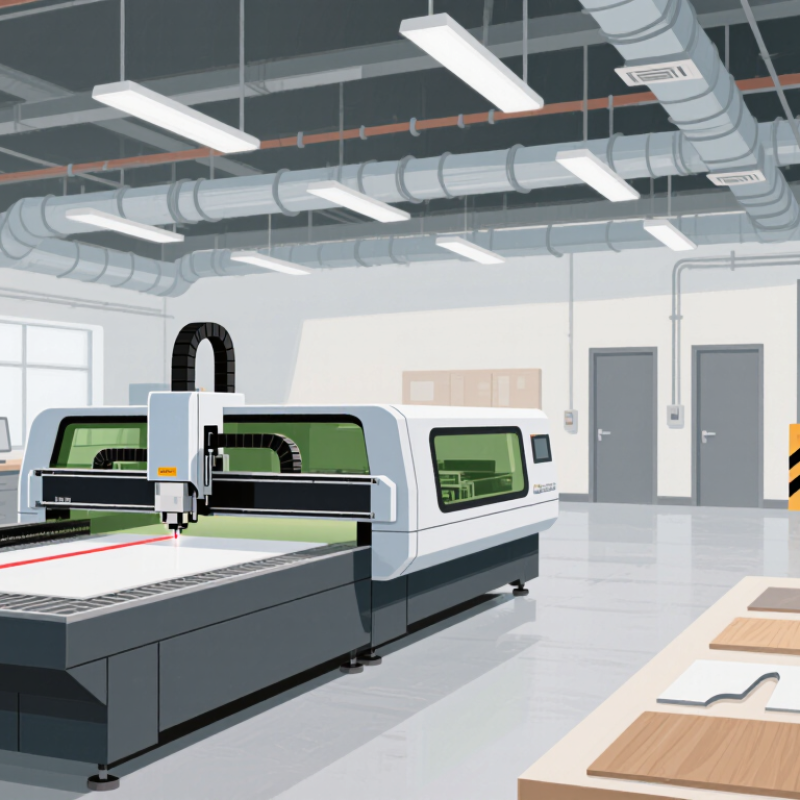
How to Choose a Longer Laser Cutter in 2026?

Choosing a Longer Laser Cutter in 2026 starts with the work you need it to do, not the largest bed you can afford. A longer cutting area can handle full-size panels, repeated parts, or long signs without repositioning the material. That can save time and reduce alignment errors. Small details matter.

Measure your real workspace, including the machine’s doors, cable runs, and access for maintenance. Then compare the usable cutting area with the materials you regularly process. A machine’s advertised bed size may not match its practical working area. Check the manufacturer’s specifications, confirm compatible materials, and ask how the machine maintains focus and alignment across its full length.

Consider the whole setup, too. Extraction, ventilation, electrical requirements, software, and operator training affect everyday use. Ask suppliers for clear warranty terms, service options, and demonstrations with material similar to yours. If possible, inspect sample cuts at different points along the bed; a clean result in the center alone tells you little about edge performance. A larger machine may also take more floor space and cost more to run. That trade-off is real.

This guide explores the specifications and practical checks that help buyers choose a Longer Laser Cutter with confidence in 2026. Some needs will remain uncertain until you test your own materials. Plan for that, rather than relying on one impressive specification.

How to Choose a Longer Laser Cutter in 2026?

Understanding What “Longer” Means in a Laser Cutter

“Longer” is not one measurement. It may describe the usable bed, travel along one axis, or an opening for feeding material through. Those dimensions are not interchangeable. A machine may accept a long board through a pass-through slot, while its usable work area remains short. That distinction matters when engraving a sign or cutting a narrow strip of plywood. Ask for the usable area, not just the outside frame dimensions. Check how the manufacturer defines that figure. Spec sheets can be confusing.

A longer bed changes setup, too. A long sheet may need support beyond the table, plus clear space around moving parts and room to load it. Check the supported material thickness, focus range, and whether performance is specified across the full work area. A larger working area can make alignment and focus less forgiving. Ask how repeatability is checked from one end to the other. For a real job, test a sample near both ends and measure the cut. Length sounds like a simple upgrade. It may not be. Consider whether the extra reach matches the stock you actually use, the room you have, and the work you can reliably support.

Matching the Work Area to Materials and Project Sizes

Choose the work area from the largest piece you expect to cut, not the machine’s outer dimensions. Measure your usual sheets, then leave room for alignment, hold-downs, and a small test strip. A 600 × 900 mm panel, for example, may need more than a nominal 600 × 900 mm bed if its edges must stay square. Check the usable cutting area in the specifications; rails, clamps, or a honeycomb frame can reduce it. Small detail, big difference.

Material behavior matters as much as length. Long plywood can bow or shift, while thin sheets may flex under light pressure. Plan supports that keep the material level without obstructing the cutting path. A larger bed is not automatically better if it makes loading awkward or leaves little room to reach the work. It is easy to overestimate how often oversized stock will be useful.

Match the machine to the projects you actually make: signs, cabinet panels, or batches of smaller parts. If workpieces exceed the bed length, a pass-through design may help, but accurate repositioning becomes essential. Test with scrap of the same material and thickness before committing to a full sheet. I would measure twice here; even careful estimates can miss a clamp or a crooked edge.

Comparing Laser Types, Power, and Cutting Capacity

A longer laser cutter can handle full-length panels, sign blanks, and repeated parts without constant repositioning. Yet a large bed does not guarantee clean cuts. CO2 lasers are commonly suited to wood, acrylic, and some fabrics. Diode lasers can work for engraving and thinner materials, but may cut slowly. Fiber lasers are designed mainly for marking or cutting certain metals. Match the laser type to your actual material list.

Power affects cutting speed and the thickness a machine can process, but higher wattage is not a shortcut to every result. Lens choice, focus, material condition, and ventilation also matter. Check tested cutting limits rather than relying on a single maximum-thickness claim. Measure the usable work area, not just the machine’s outer dimensions. For long stock, confirm whether pass-through openings are available and how much support the material needs. That matters.

Tips: Test a small offcut first. Look for even edges, steady motion, and repeatable results. I would leave extra bed length for handling, though that can mean paying for space you rarely use.

How to Choose a Longer Laser Cutter in 2026?

Comparing fiber laser power with indicative mild-steel cutting capacity

Higher-power fiber lasers can cut thicker mild steel, but actual capacity depends on the machine, assist gas, and desired edge quality. A longer bed increases the workpiece length the cutter can handle; it does not increase cutting thickness. Check both the usable bed dimensions and the manufacturer’s material-specific cutting specifications before choosing.

Checking Safety Features, Software, and Support

How to Choose a Longer Laser Cutter in 2026?

A longer work bed is useful only if the safety systems suit the materials and workflow. Check for a fully enclosed beam path, interlocked access panels, a reachable emergency stop, and clear exhaust guidance. Ask how the machine detects flame and what happens after power loss. The National Fire Protection Association estimated 1.39 million U.S. fires in 2023, with $23.2 billion in direct property damage. That figure covers all fires, not laser cutters, but it makes fire response worth inspecting closely. Look for a practical cleaning routine, too. Dust buildup is easy to underestimate.

Software and support deserve equal scrutiny. Test whether the software shows the full job boundary, flags out-of-range settings, and resumes safely after interruption. Ask whether updates are documented and whether files can be backed up locally. Cybersecurity is not just an IT concern: the National Institute of Standards and Technology’s Cybersecurity Framework 2.0 stresses managing access and system risks. For support, request written response targets, troubleshooting steps, and replacement-part availability. The Bureau of Labor Statistics recorded 2.6 million nonfatal workplace injuries and illnesses in private industry in 2023; that broad figure is not laser-specific, but it reinforces the value of clear training and operating instructions. One caveat: a longer bed can make routine access awkward. Check that cleaning and maintenance do not require reaching past guards.

How to Choose a Longer Laser Cutter in 2026? - Checking Safety Features, Software, and Support

Evaluation area What to check Useful evidence or practical benchmark Why it matters Buyer action
Usable work area Confirm the actual maximum cutting length and width, not just the machine’s outer dimensions. Compare the listed usable area with your longest intended workpiece, including any clearance needed for loading and positioning. A long frame does not necessarily provide an equally long usable cutting area. Ask for a dimensioned work-area drawing and check how material is supported beyond the bed.
Pass-through design Check whether the machine has pass-through openings, removable panels, or another method for handling material longer than the bed. Verify the maximum material thickness and length the design can accommodate, and whether openings affect enclosure protection. Long stock can extend outside the cutting area, making handling and access control important. Request the operating instructions for pass-through use and confirm which safety measures remain effective.
Laser classification and enclosure Look for the declared laser classification of the complete machine in its intended operating configuration. Check the rating label and supporting documentation. A classification applies to the specified configuration and use conditions. Enclosure design and correct operation help limit exposure to hazardous laser radiation. Do not assume an open-frame machine is safe to operate without appropriate controls, guarding, and training.
Interlocks and emergency stop Check whether access panels are interlocked and whether an emergency stop is provided and clearly identified. Look for documented tests showing that opening an interlocked access point prevents or stops laser emission, as designed. These controls help reduce risks from unintended access or an urgent need to stop operation. Test the controls during a supervised demonstration and follow the manufacturer’s procedures.
Fire precautions Review fire-related warnings, recommended supervision, and any built-in flame-detection or shutdown features. Confirm what a detection feature actually does and whether it is included, optional, or unavailable. No feature replaces supervision. Laser cutting can ignite materials or leave smoldering debris, depending on the material and process. Follow the material guidance, keep suitable fire-response equipment accessible, and never leave cutting unattended.
Fume extraction Check the exhaust connection, airflow requirements, and whether filtration is included or must be added. Match the duct size and airflow specification to the installation. Check filter type, replacement interval, and exhaust destination where applicable. Cutting and engraving can produce smoke, particles, and hazardous fumes; the type and quantity depend on the material. Use only materials approved by the machine documentation and provide suitable extraction and ventilation.
Material compatibility Check the approved material list and restrictions for the laser source and machine configuration. Ask for documented guidance for each material and thickness you plan to process; do not rely on appearance alone. Some materials can release hazardous substances or create excessive fire risk when laser processed. Exclude materials the documentation prohibits, and verify unfamiliar materials before use.
Software and file formats Confirm operating-system requirements, supported file types, and whether the workflow supports both vector cutting and raster engraving. Common formats may include SVG or DXF for vector work and PNG or JPEG for raster images, but support varies by software and version. Compatibility affects design preparation, job setup, and repeatability. Test representative files from your current workflow before purchase and check for software or licensing costs.
Job control and connectivity Check supported connection methods, job preview, positioning controls, and behavior after a connection or power interruption. Confirm whether USB, network, or other connections are supported; these options vary by model and software. Reliable job control is especially useful when positioning work across a long bed. Ask for a live demonstration of setup, preview, alignment, and recovery procedures.
Long-workpiece accuracy Review how the machine maintains alignment over the full usable length and how material movement is controlled. Request stated positioning or repeatability specifications and a demonstration using a representative long workpiece. Small alignment errors can become more noticeable across long jobs. Check the calibration procedure and confirm whether the bed or material support is level and stable.
Maintenance and replacement parts Identify routine maintenance tasks and the availability of consumable and service parts. Review the maintenance schedule, expected consumables, and documented replacement procedures. Maintenance affects uptime, cutting quality, and safe operation. Estimate ongoing costs and confirm access to the parts needed for your expected workload.
Training and technical support Check available setup guidance, training, troubleshooting channels, and support hours. Look for written manuals, setup resources, response-time terms, and clear escalation procedures. Long-bed alignment, ventilation, and safe material handling can require careful setup. Get support terms in writing and confirm that help is available in your time zone and preferred language.
Warranty and service coverage Review warranty duration, exclusions, shipping responsibilities, and the process for repair or replacement. Compare coverage for the laser source, motion components, electronics, and other major assemblies. Warranty terms and repair logistics can affect the total cost of ownership. Read the complete warranty document and confirm who performs service and where parts are shipped from.
Final selection Balance usable length, verified safety controls, software fit, operating costs, and service access. Use a written checklist based on your materials, workpiece dimensions, installation space, and production volume. The best choice depends on the intended application and the conditions in which the machine will operate. Prioritize documented specifications and a practical demonstration over headline power or maximum dimensions alone.

Evaluating Total Cost and Choosing a Suitable Model

How to Choose a Longer Laser Cutter in 2026?

Evaluating Total Cost and Choosing a Suitable Model

A longer laser cutter is worthwhile only if its usable bed fits your regular jobs. Measure the longest workpiece, then allow room for alignment and safe handling. A nominal bed length does not always equal usable cutting space. Check the machine’s actual working area and whether long stock can extend through an approved pass-through. That detail matters.

Purchase price is only one part of the cost. Include delivery, installation, ventilation, electrical work, and floor space. Ongoing costs may include filters, lenses, mirrors, cooling, and routine cleaning. Ask for maintenance intervals and likely consumable costs. Compare estimated cost per finished part, including setup time and scrap. A bigger machine can reduce repositioning, but it may also sit idle. Not always a bargain.

Choose based on your materials, workload, and available space. Check whether the laser’s power and configuration suit the thicknesses you cut; higher power alone does not guarantee a cleaner edge. If possible, test a sample of your actual material and inspect cut quality, speed, and repeatability. I would also leave room in the budget for extraction and upkeep. It is easy to underestimate both. A model that fits the workshop and workload may be more useful than the longest option available.

CONTACT US